Docker for AI: Package Your Model as a Container in 2026
By Luminesca · Updated 2026-09-08 Analysis compiled from public reporting with AI-assisted drafting. See our editorial policy.
📅 Aug 3, 2026🏷️ AI / DevOps🐳 Ship your model anywhere, the same way every time
🐳
Containers are the standard way to ship software, and AI is no exception: packaging a model into a Docker image makes it reproducible, portable and easy to deploy. Whether you are shipping an API, a batch pipeline or a local inference server, Docker turns “works on my machine” into “works everywhere”. This guide covers the essentials.
Why containerise AI. AI applications have heavy, version-sensitive dependencies - Python, frameworks, model files, CUDA libraries. A Docker image captures all of it: the same image runs identically on a laptop, a server or a cloud instance. Reproducibility is the killer feature, and it also makes rollbacks trivial.
Step 1 - write the Dockerfile. Start from a Python base image, install your dependencies, copy in your application code, and declare the command that starts your service. Keep dependencies pinned to exact versions; reproducibility is the entire point, and unpinned dependencies quietly break it.
Step 2 - handle the model. The two approaches are baking the model into the image or mounting it from a volume. Baking it in makes the image self-contained but large; mounting it keeps images small and updates instant. For production, a hybrid is common: a small base image with the model served from a shared volume or object store.
Step 3 - optimise the image. Smaller images are faster to build, push and pull. Use a slim base, install only runtime dependencies, and clean up package caches. Multi-stage builds - build in one stage, copy only what is needed into the final stage - routinely cut image size by more than half.
Step 4 - GPU support. For inference on a GPU, run the container with GPU access enabled and use images with the matching CUDA runtime. The base image choice matters here: the official CUDA images include the right drivers and libraries for GPU-accelerated frameworks.
Containers also solve a very practical problem: teams. A new developer can run your whole AI service with one command, no setup ritual. CI pipelines build and test the image on every change, and staging and production run the identical artifact. That is the entire promise of Docker, and it applies to AI exactly as it does to any other software.
Start small: containerise one simple inference service first, learn the build-and-run loop, then add models, GPU support and orchestration. The same discipline that makes your LangChain chatbot reproducible is what containers give every AI project.
Visual Highlights
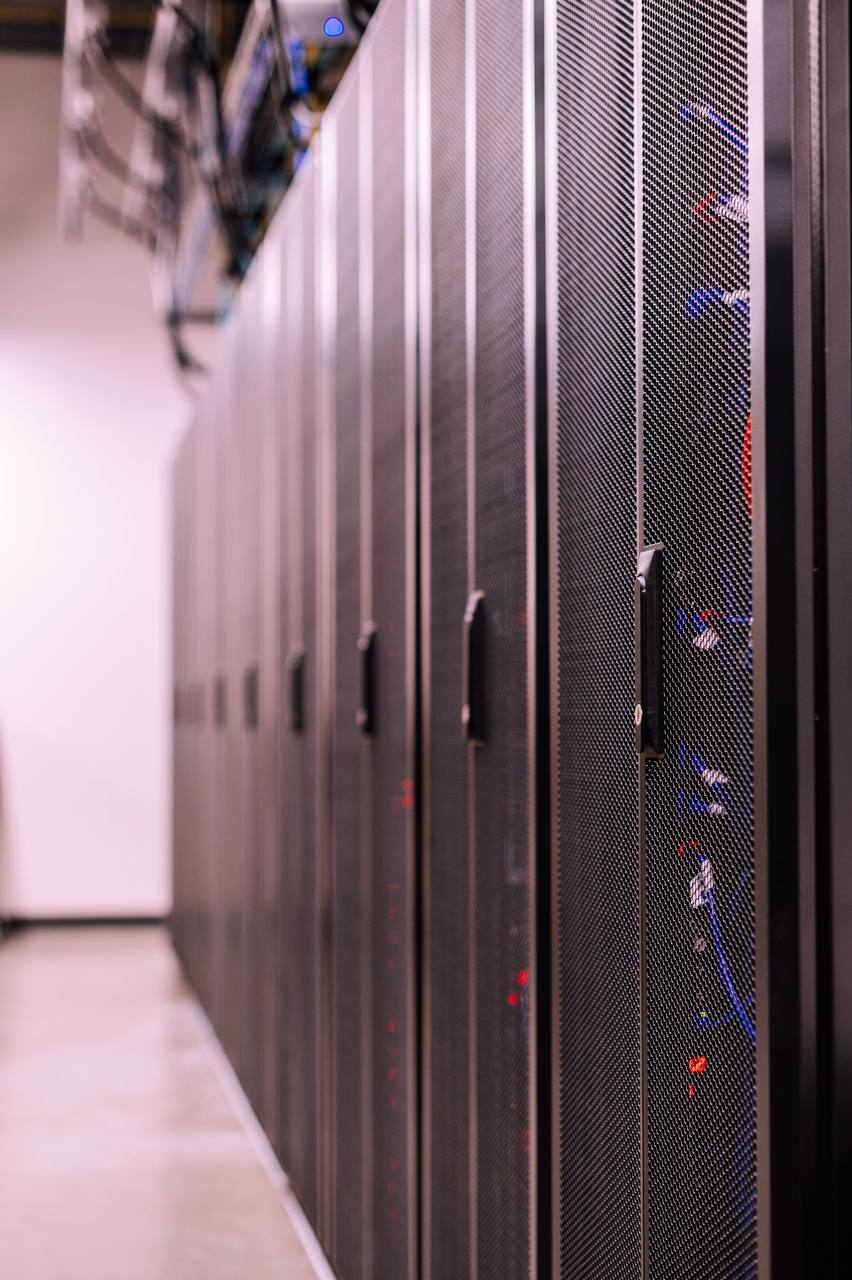
Server racks - containers standardise how AI services are built, shipped and run.
Multi-stage builds keep AI images small.
Build tools and runtime do not belong in the same layer. An AI image built naively - one stage with compilers, build caches and pip's temp files - lands in multiple gigabytes before your model even loads. A multi-stage Dockerfile compiles in a builder stage and copies only the installed runtime into a slim final image, typically cutting size by more than half. Pair it with a slim base image, a .dockerignore that excludes datasets and caches, and layer order that puts rarely-changing dependency installs before code copies so rebuilds hit cache. These are small disciplines with outsized effect on pull times and deploy speed.
Pin everything you depend on. Reproducibility is the reason to containerise, so make the image deterministic: pin the Python version, pin dependency versions, and record the model version the image expects. Unpinned builds work until the day a library release breaks inference, and then nobody can say what changed. The image digest - not the tag - is your unit of deployment; tags move, digests do not.
Plan for model weights outside the image.
Weights in the image are convenient and wrong at scale. Baking a multi-gigabyte model into the image means every model update is a full image rebuild and redeploy, and every node pulls the whole thing again. The standard pattern is weights as a mounted volume or a download step at startup, with the image containing only code and dependencies. This separates your deployment cadence (code changes, fast) from your model cadence (weight changes, independent), and it keeps the image itself small enough for normal CI flows.
GPU passthrough is a runtime concern, not a build one. The image does not contain GPU drivers; the host runtime supplies them - NVIDIA Container Toolkit on Linux, appropriate runtimes elsewhere. Build the image to work with or without a GPU (device selection from configuration), test it on a GPU host early rather than at deploy time, and verify memory limits behave as expected under containerisation. Most "works on my machine" GPU failures are host-runtime setup, not image defects - which is exactly why you test the runtime before the deadline.
Frequently Asked Questions
Is Docker suitable for AI model deployment?
Yes - it is the standard approach for serving AI models in production. Containers give reproducibility, portability and easy scaling, and GPU support is mature. For very large models, use a volume or object store for weights rather than baking them into the image.
What is a multi-stage Docker build?
A multi-stage build compiles or installs dependencies in an intermediate stage, then copies only the resulting artifacts into the final, smaller image. It is the most effective way to shrink AI image size without sacrificing functionality.
Can Docker images include GPU drivers?
No - images contain your code and dependencies, while the host runtime provides GPU drivers via the container toolkit. Your Dockerfile declares that the container needs GPU access; the host decides whether it gets one. This split is why the same image can run on CPU development machines and GPU production hosts.
How big should an AI image be?
Code-and-dependencies images should land in the hundreds of megabytes to low gigabytes depending on the stack (CUDA runtime layers add several GB themselves). If your image is much larger, model weights or build caches are baked in - move weights to volumes and use multi-stage builds. Every gigabyte in the image is paid on every pull.